
-
-
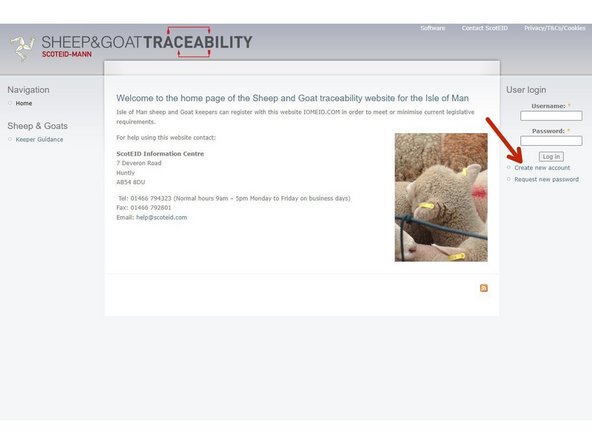
To create a new user, visit the following website: http://www.iomeid.com
-
Click on Create New Account at the top right hand corner of the homepage under User Login
-
-
-
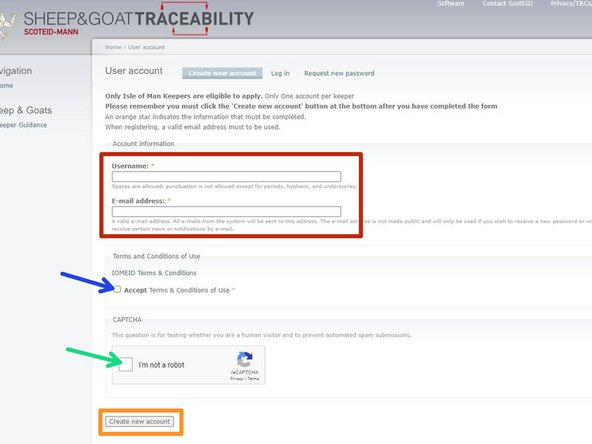
Add a username, this can be your email address if you wish
-
Click on the Terms & Conditions and when you are happy with these tick the box Accept
-
Captcha - tick the box I'm not a robot
-
Then click on create new account
-
-
-
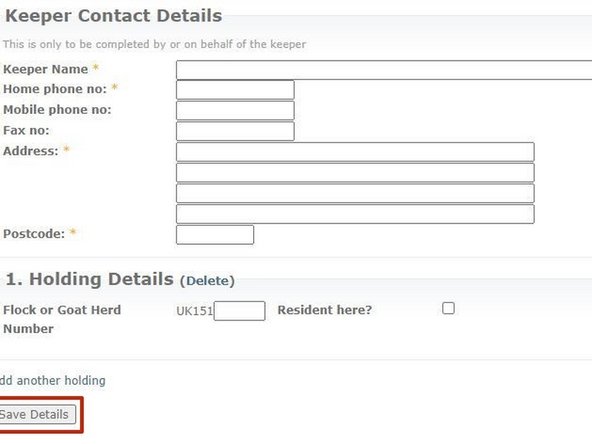
Enter all your keeper details and holding number and when you are happy with all the details entered, click on Save Details
-
Almost done!
If you require further assistance, please contact ScotEID on 01466 794323.
Conclusion
If you require further assistance, please contact ScotEID on 01466 794323.